Re-platforming, re-building & WordPress migration
If your current website is slow, difficult to maintain, or no longer fit for how your business operates, we can help you migrate or rebuild it on WordPress properly.
Move to WordPress without losing rankings, performance, or the functionality your business relies on.

Why re-platform or rebuild your WordPress website?
Not all website platforms and content management systems are created equal: there’s a reason why WordPress powers over 40% of the Internet.
Many businesses come to us because their current website has become difficult to manage, slow to evolve, or simply no longer fit for how the business now works.
Whether you’re tied into a proprietary platform, stuck with a slow legacy CMS, or dealing with an ancient WordPress build that’s become difficult to maintain: we help you move forward without losing what already works.
Rebuilding or migrating to WordPress gives you:
- Full control: manage your website and content your way
- Faster performance: improved speed and user experience
- Flexible functionality: add features without bloated plugins
- SEO retention: keep rankings and traffic during migration
Whether migrating from another platform or rebuilding an existing WordPress site, we handle every detail to make your website work better for your business
Ultimately Better can also help you update or rebuild existing WordPress websites to migrate away from clunky, slow pagebuilders such as Divi and Elementor as part of an overall performance optimisation package.
Case study
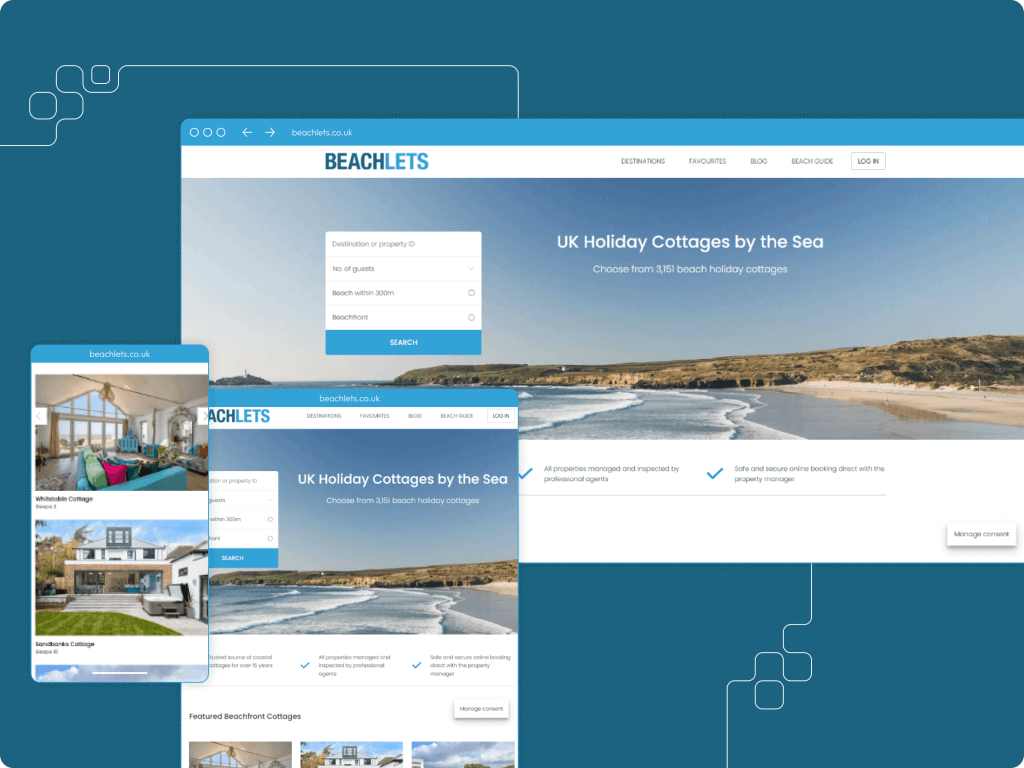
Complex WordPress re-platform: Beachlets
Beachlets approached us with an existing 15 year old website built on a proprietary content management system. The existing website had a strong SEO presence which was crucial to the site’s continued success, so needed full migration management and guaranteed URL matching to minimise any loss to existing search engine rankings.
Project results:
- Beachlets saw a traffic increase of 20%
- With a 12% increase in pages indexed by Google
- And an increased conversion rate of 40% due to improved UX
I needed a WordPress expert to completely rebuild my 15 year old website from the ground up and Jem and her team really delivered. There was a lot of customisation in the backend and a strong focus on SEO and best practice. I’d highly recommend Ultimately Better to anyone building a WordPress site.
Mark Hutchins
Beachlets
Our WordPress migration services
From other platforms to WordPress
We help businesses migrate from a range of platforms while keeping SEO value, structure, and user experience intact. This isn’t just a “lift and shift”: we make sure your content and core functionality is properly re-created or mapped so nothing important is lost in transition.
Some of the platforms we can migrate include:
- Drupal / Joomla to WordPress
- Wix / Squarespace to WordPress
- Webflow and Next.js to WordPress
- Hosted or bespoke PHP cart solutions to WordPress & WooCommerce
We also handle full URL and meta data migration to protect existing rankings wherever possible.
What this means in practice: reduced dependency on restrictive platforms and vendor ‘lock-in’, lower ongoing costs, and a website that is better positioned for future growth.
Migration & replatforming process

Auditing & planning
Review existing website, content, and performance

Design & development
Bespoke themes and functionality for your website

Content & SEO migration
Maintain URLs or use 301s to protect rankings

Testing & launch
Ensure a smooth transition for users and search engines

Training & support
Empower your team to manage your new site effectively
Rebuilding existing WordPress websites
If your current WordPress website is slow, cluttered, or difficult to maintain, a rebuild can often be the fastest route to better performance and easier day-to-day management.
Often the issue isn’t one big problem but years of small fixes (“technical debt”) layered on top of each other.
A typical rebuild approach might include:
- No content cruft: start fresh with what still matters
- Fewer plugins: reduce dependency on legacy tools
- Faster theme build: remove page-builder bloat and unnecessary code
- Cleaner foundations: rebuild around what the business actually needs
Leaving with you with a website that performs better for your customers, is easier for your marketing team to manage, and a more stable site that will scale properly.
Case study
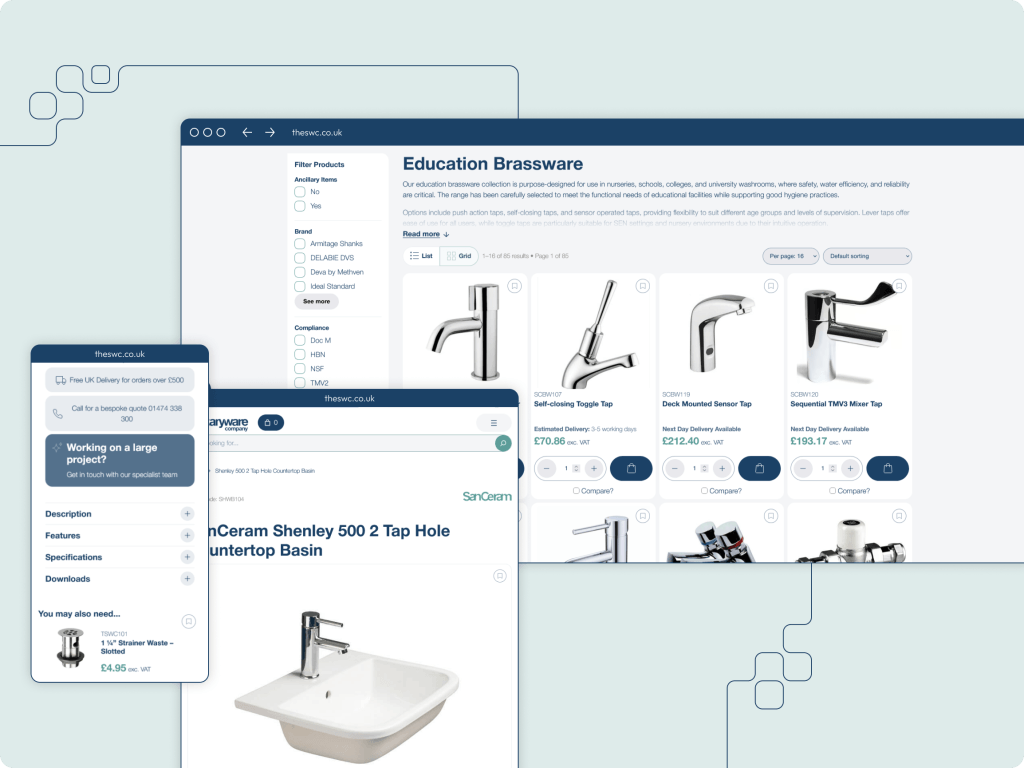
Complex WooCommerce re-platform with Sage ERP integration: The Sanitaryware Company
Digital marketing agency GrowRoom reached out to us to partner with them on a large end-to-end WooCommerce build for the high-performance commercial washroom retailer, The Sanitaryware Company.
Their existing site ran on a closed, proprietary platform owned by a third party. They didn’t own the code and couldn’t extend it the way the business actually needed, and any website changes had to be made through a piece of buggy desktop software.
We rebuilt their website onto WordPress + WooCommerce with bespoke plugin development to sync with their internal Sage systems, and a highly performant bespoke WordPress theme to improve user experience.
Project results:
- The SWC saw conversions increase
- With an increase in average order value
- And an increase in trade account sign-ups
I recently worked with Ultimately Better on a complete redesign of my e-commerce website, and the experience has been excellent from start to finish. [..] I would highly recommend Ultimately Better to any business looking for a professional, reliable web design and development partner.
Louise Gannon
Marketing Manager
What you get from a better migration to WordPress
- Reduced risk: every step managed by WordPress experts to protect existing SEO and your customer data
- Ownership: own your content and assets without reliance on a ‘walled garden’ content management experience
- Faster, cleaner site: fewer plugins, quicker load times, and a better user experience
- Ongoing support: optional maintenance and updates after launch
- Expert guidance: practical advice on what to keep, improve, or remove
WordPress build & migration FAQs
Will my SEO be affected during migration?
Although Google and other search engines can sometimes go through an unsettled period following a major migration or rebuild, we carefully map URLs and migrate all critical meta data and content to minimise ranking loss and have a proven track record in post-launch success.
How long does a migration or rebuild take?
The exact development timeline depends on the size and complexity of your site; we provide a detailed schedule upfront.
Can you migrate e-commerce websites?
Yes, we can migrate and replatform e-commerce stores, including existing WooCommerce shops and other hosted cart solutions.
What if my current website has custom functionality?
We audit your existing functionality and recreate or improve it in WordPress, ensuring nothing is lost.
Do you offer post-migration support?
Yes, we offer ongoing maintenance and support packages to keep your website secure and performing optimally.
Can you train our staff on how to use our WordPress website?
We deliver WordPress training as standard as part of all our website design and development projects. This can be delivered in-house or virtually.
How much does a new WordPress website cost?
The cost of building a WordPress website depends on the scope of the project. For example, a business who needs to integrate e-commerce functionality, event management, CRM or data capture for e-mail marketing can expect to pay more than a business that just needs a mission statement and contact form.
However, Ultimately Better have transparent pricing for projects as standard. We can also offer flexible payment plans and phased project delivery to match your budget and funding timelines for your website design.
Why should I move from Webflow to WordPress?
Webflow is fine as a platform for a basic brochure site, but most commercial websites need something more: integrations with APIs, connections to CRMs, e-commerce functionality, and so on. Webflow doesn’t let you do that without additional third-party services and each one comes with its own monthly bill. Worse, you’re locked in to a single hosting platform, so if Webflow decide they want to double their prices, you have no choice but to pay.
WordPress is open source. Your code, your content, your website assets – they’re all yours for the lifetime of that website. If you fall out with your agency/developer, or you get fed up of your web host hiking up prices, you can pick up your website and move it elsewhere easily.
We won’t pretend that WordPress is completely free of all ongoing costs. Plugins need updating, servers need maintaining and someone has to keep an eye on it, but why lock that into one provider forevermore?
If you’re thinking about moving from Webflow to WordPress, talk to us for a no-BS answer about whether that’s the right decision for you and what that might look like.